Cover the personal data in your documents without them leaving your device
InvisiVis finds the personal and sensitive data in any document: what identifies you, banking, contact, health or employment details. You decide whether to redact them, delete them or encrypt them to get them back later.
- Over 40 types of data
- No internet: nothing leaves the device
- Windows and Android
15 days with everything included. No sign-up or card. The sample documents are made up.
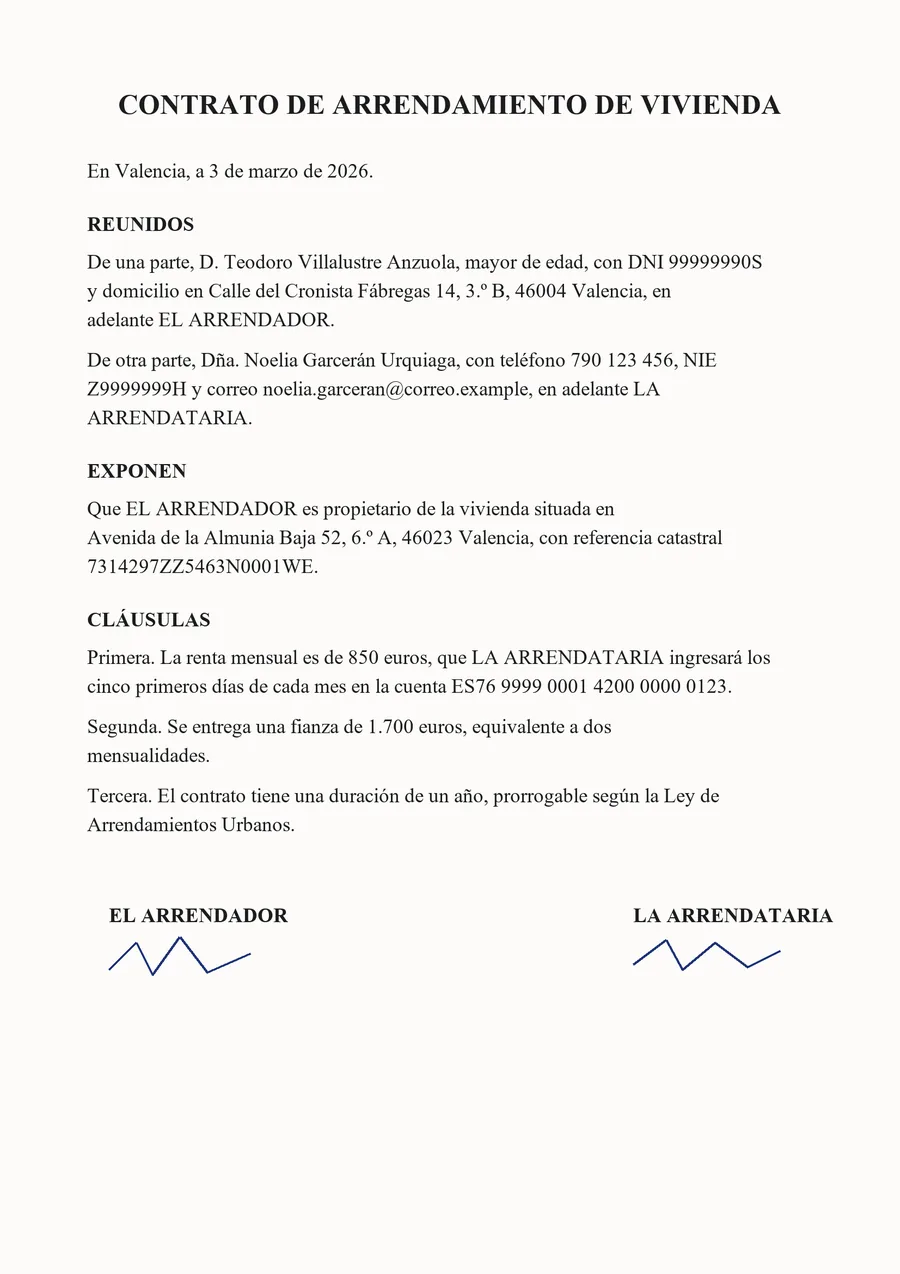
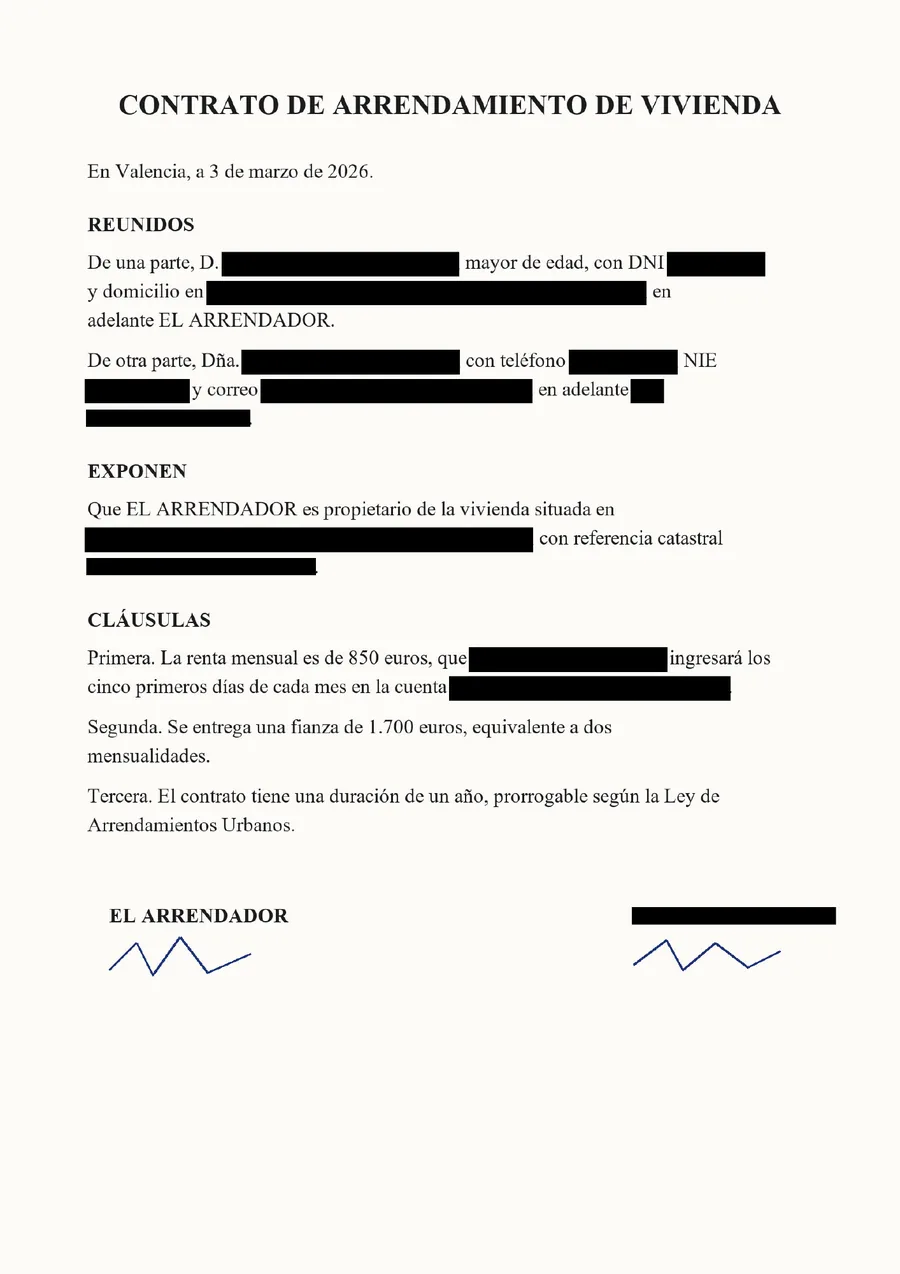 OriginalWith InvisiVis
Three steps, and the document stays on your device
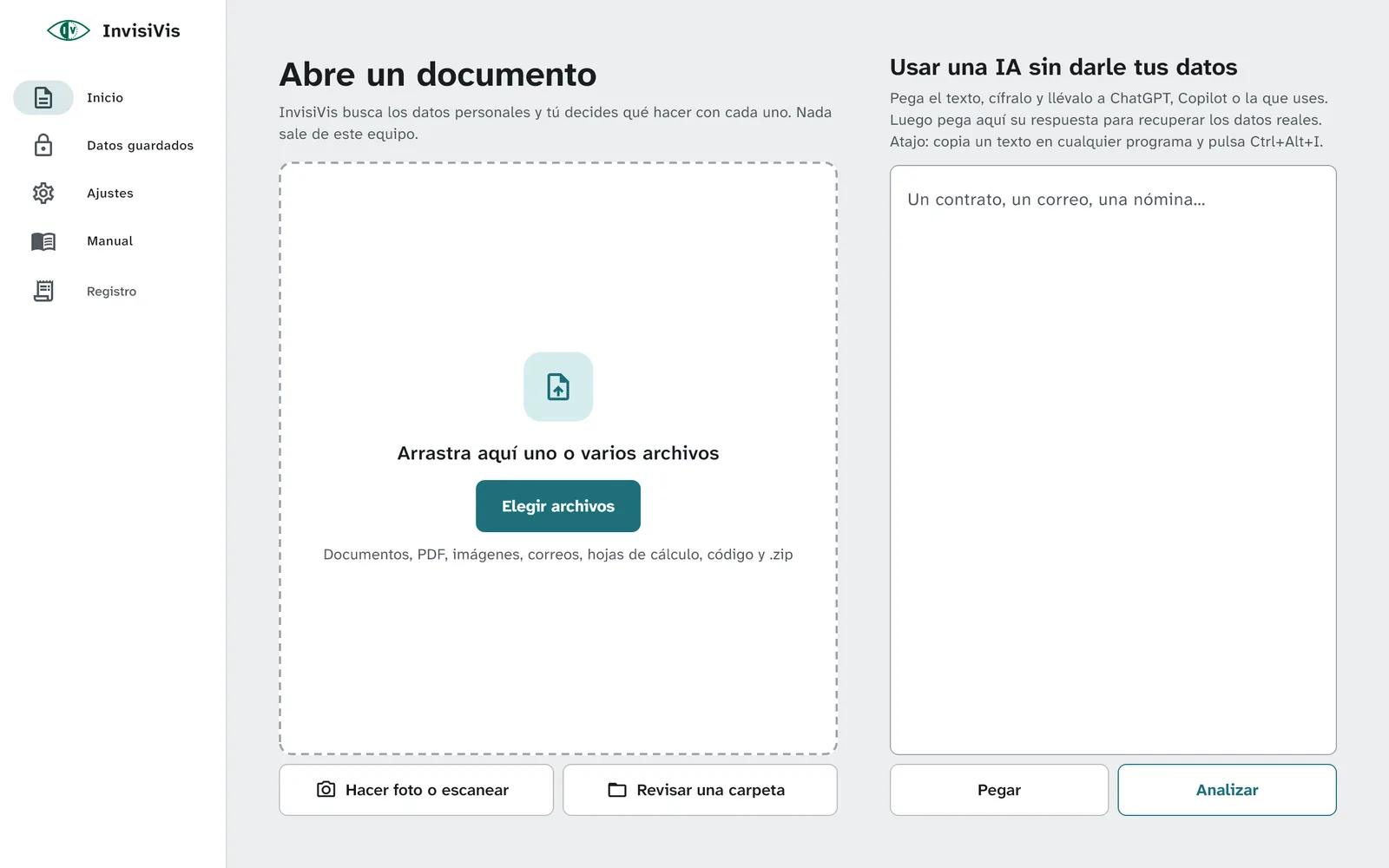
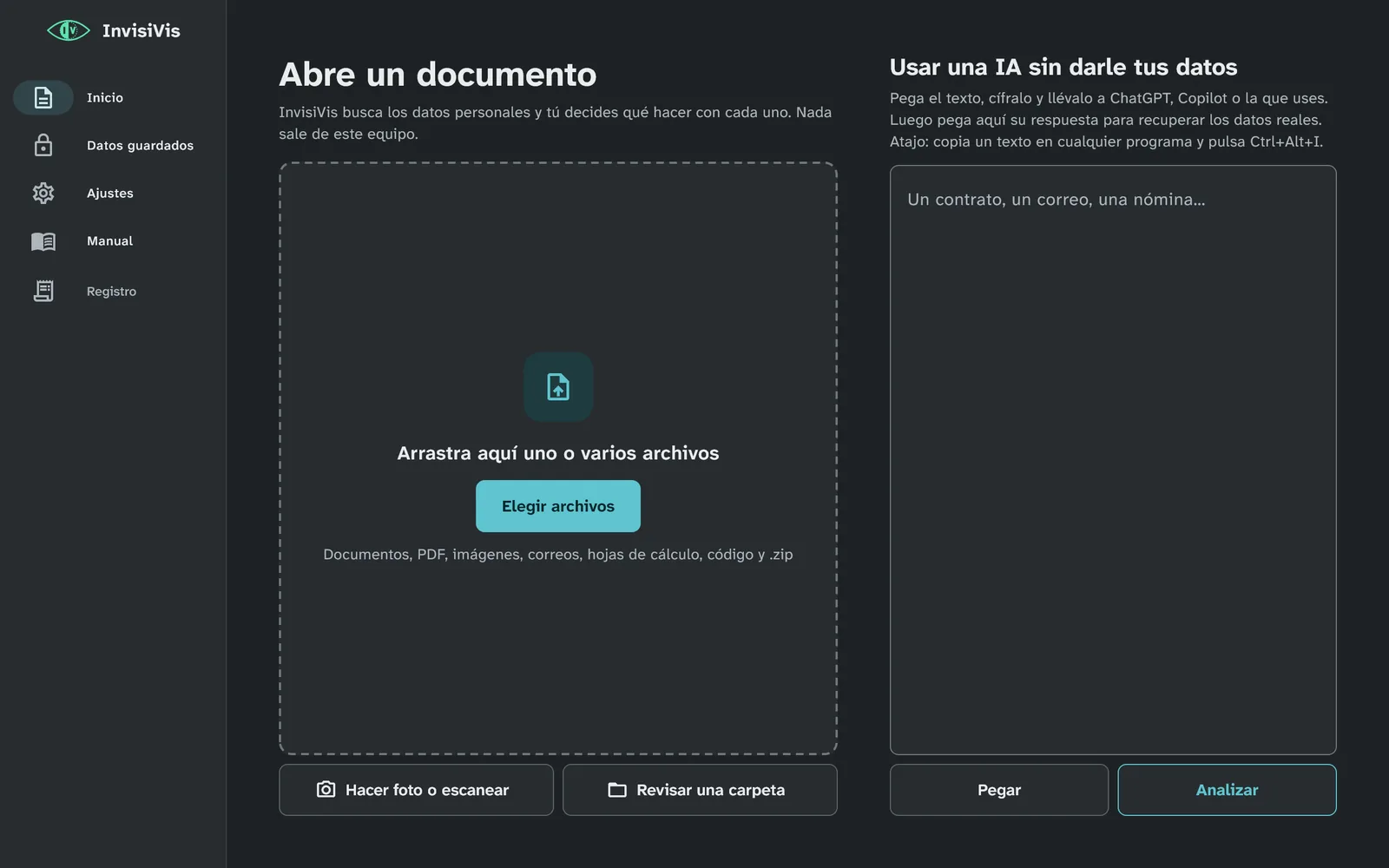
Open the document
Almost anything: Word, Excel, PowerPoint, LibreOffice, PDF, Outlook emails, photos, scans, signed LexNET documents or pasted text. Take a photo of the paper with your phone and it straightens it, or drag a whole folder or a .zip and it reviews them one by one.
Review what it found
Each item is marked in the document and in a list, with what will be done with it. Doubtful items are kept aside for you to decide. With the eye button you switch between the original and the result, to see what each item is. Did something slip through? Drag over the image and cover it by hand.
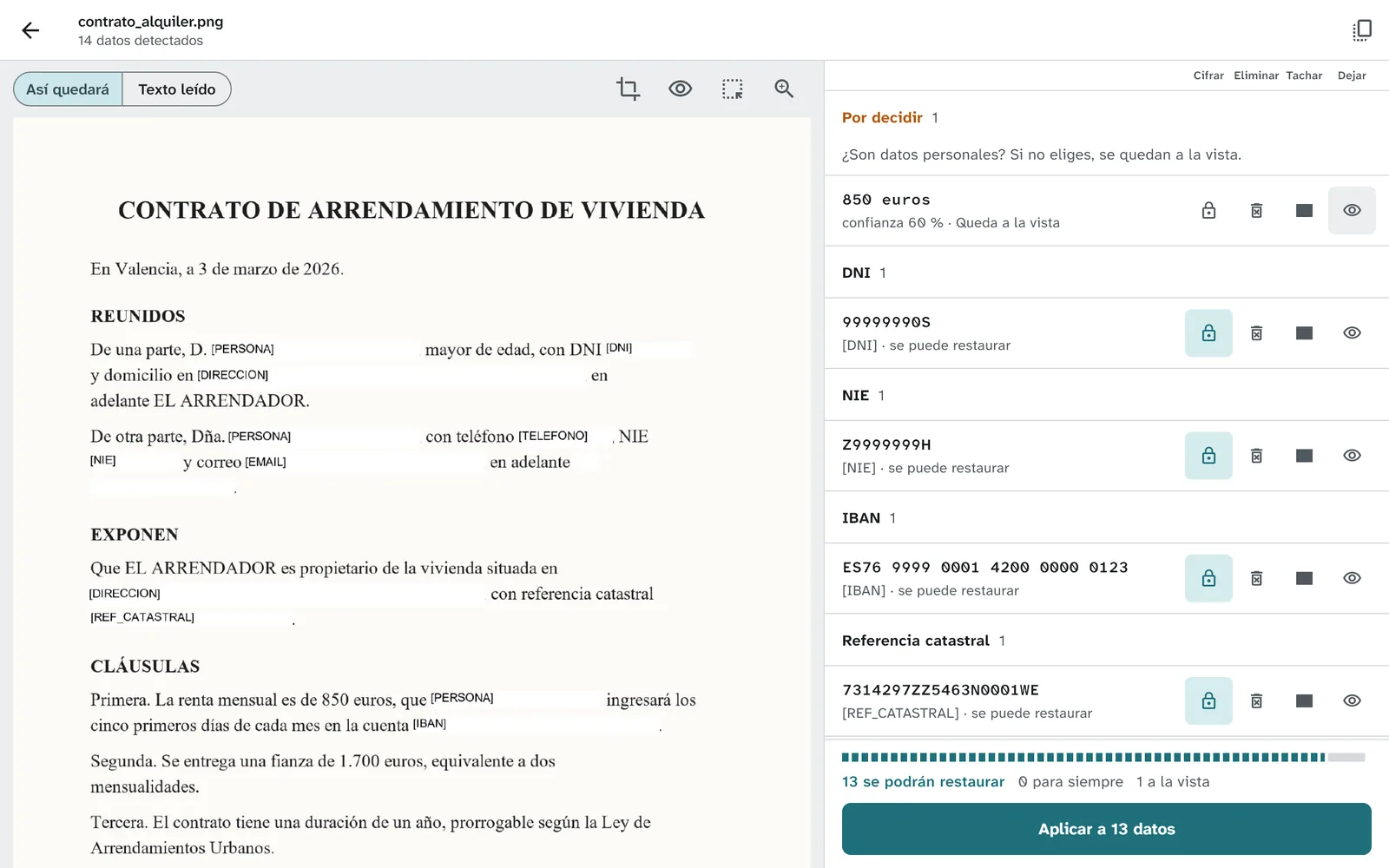
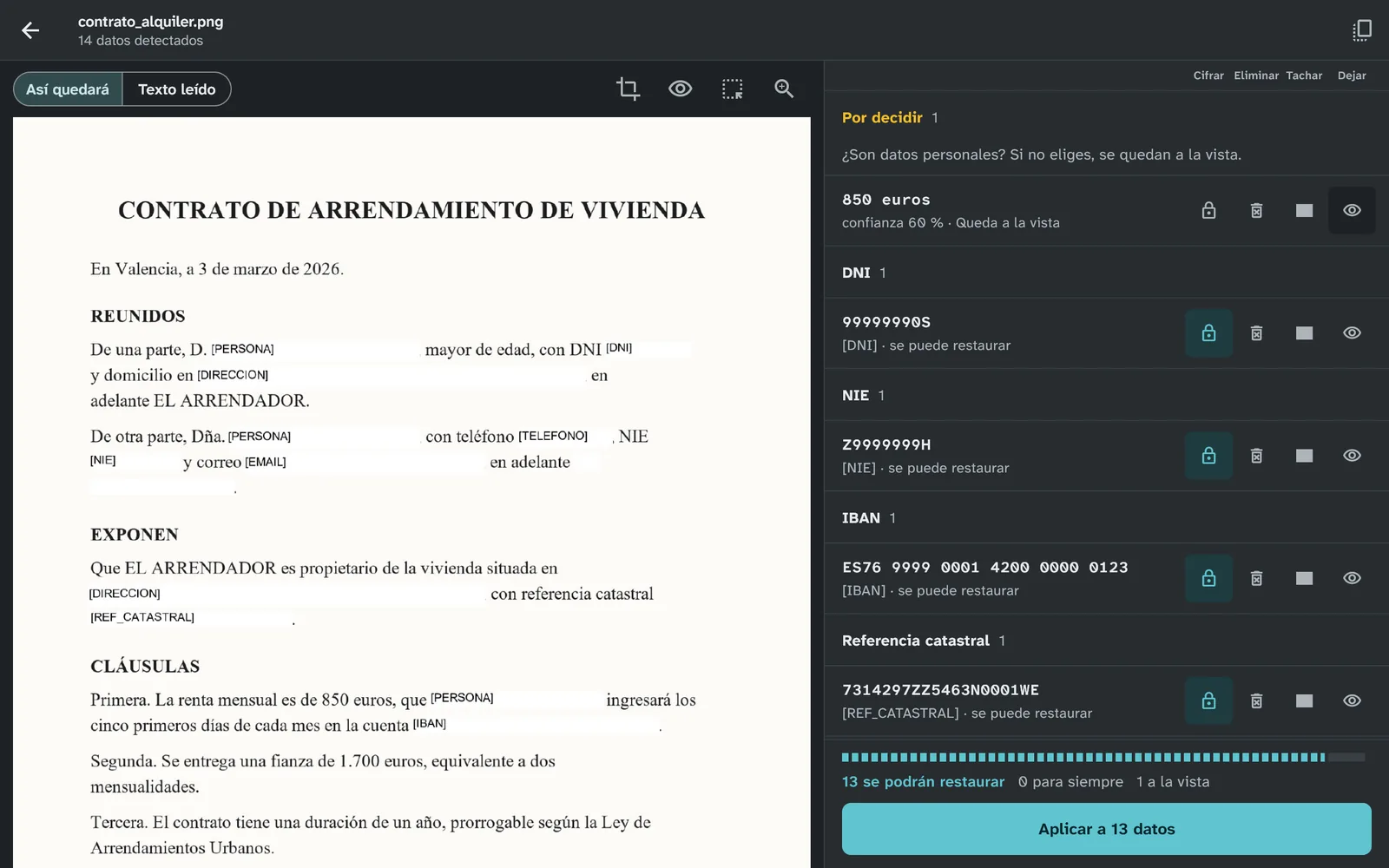
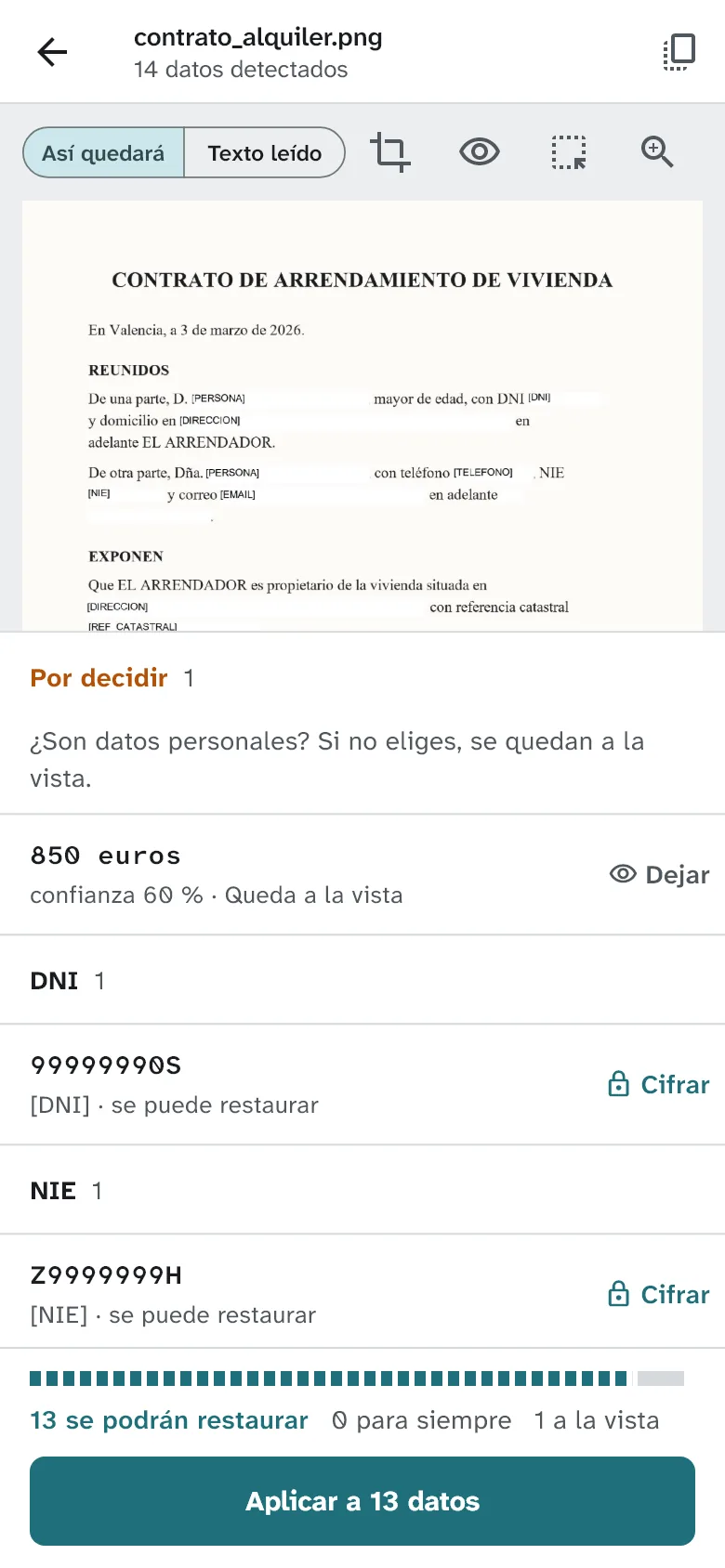
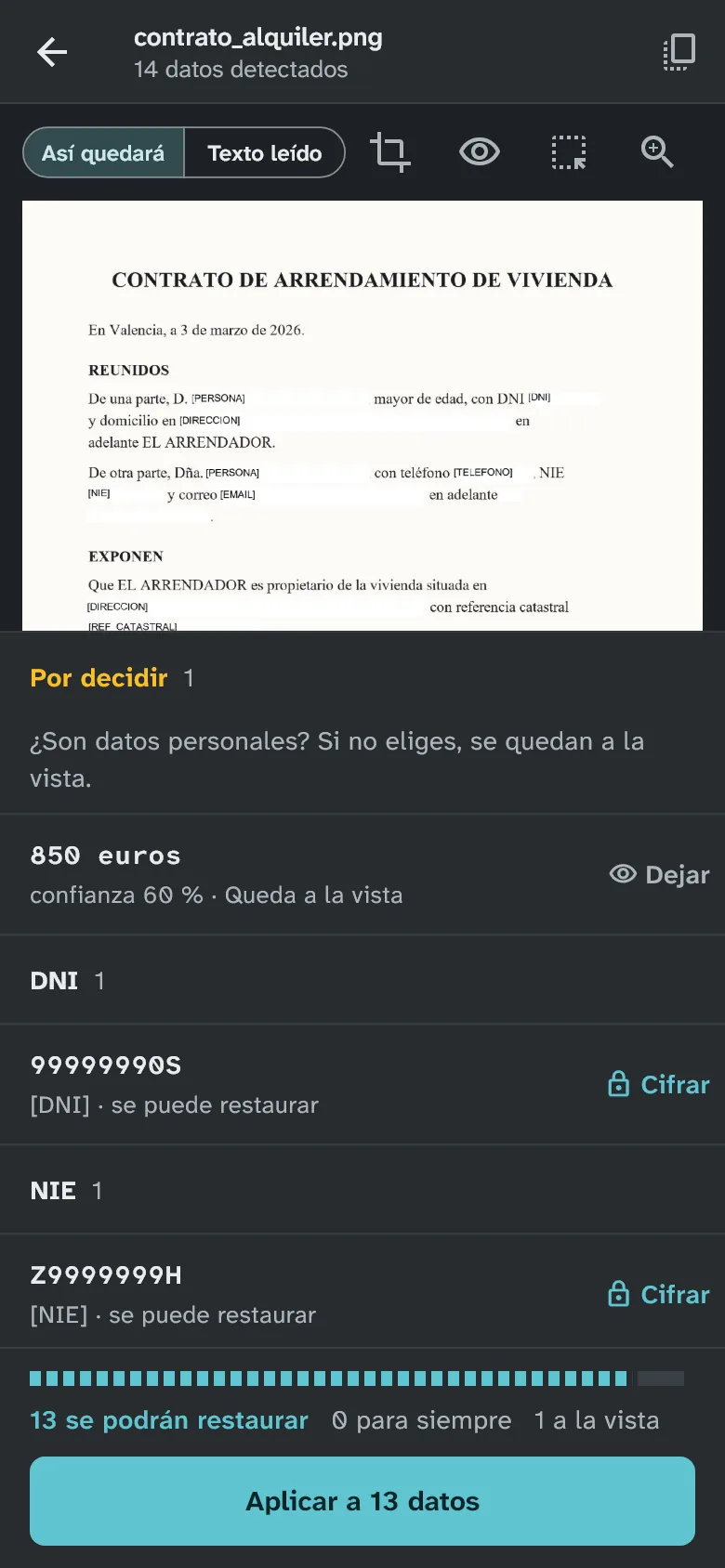
Save a clean copy
In the same format, with the layout intact, or in another. What you encrypt is kept in a safe on the device itself and goes back into place with your PIN or fingerprint. If you forget the PIN, you change it with the system lock or your recovery code, without losing anything.
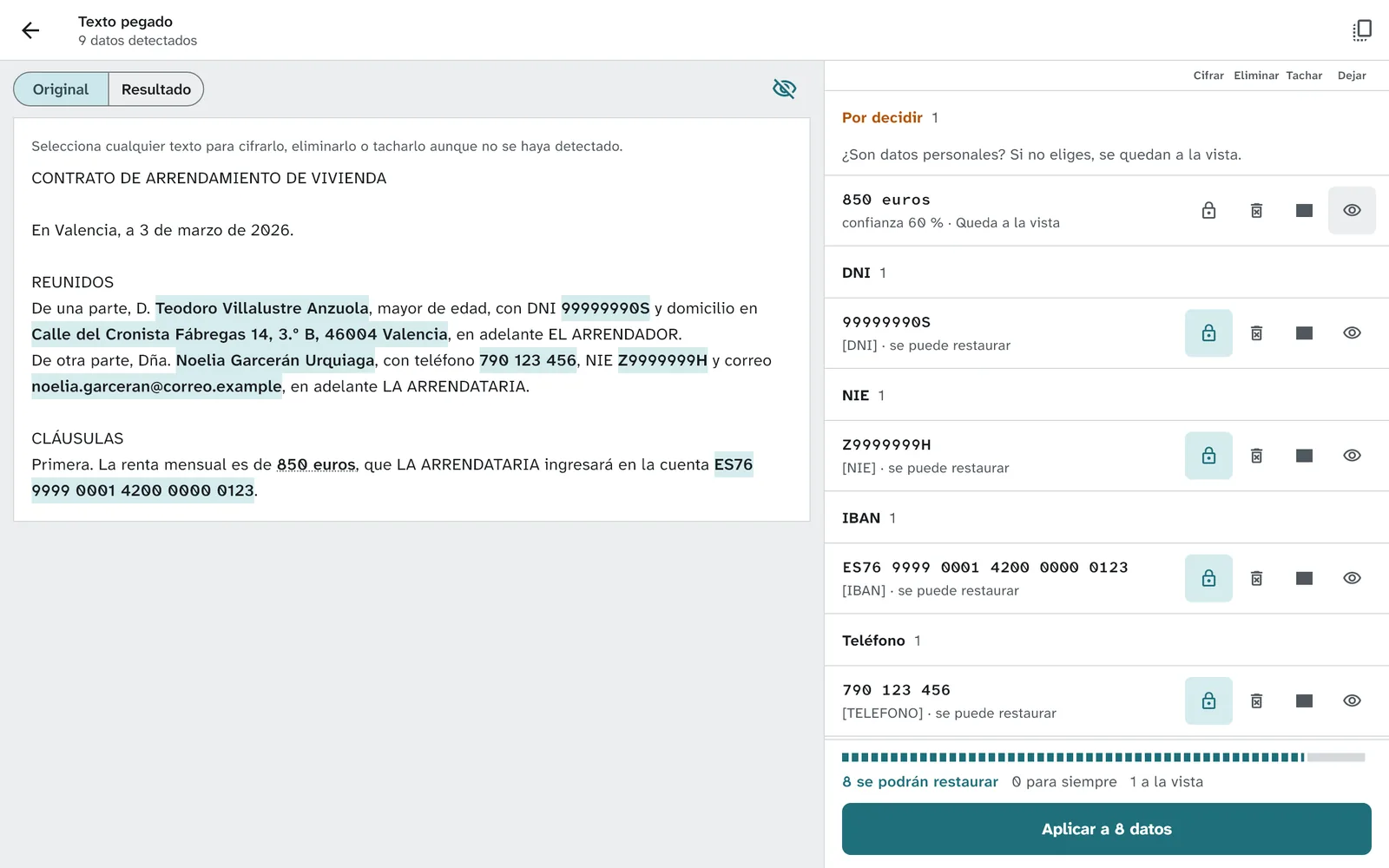
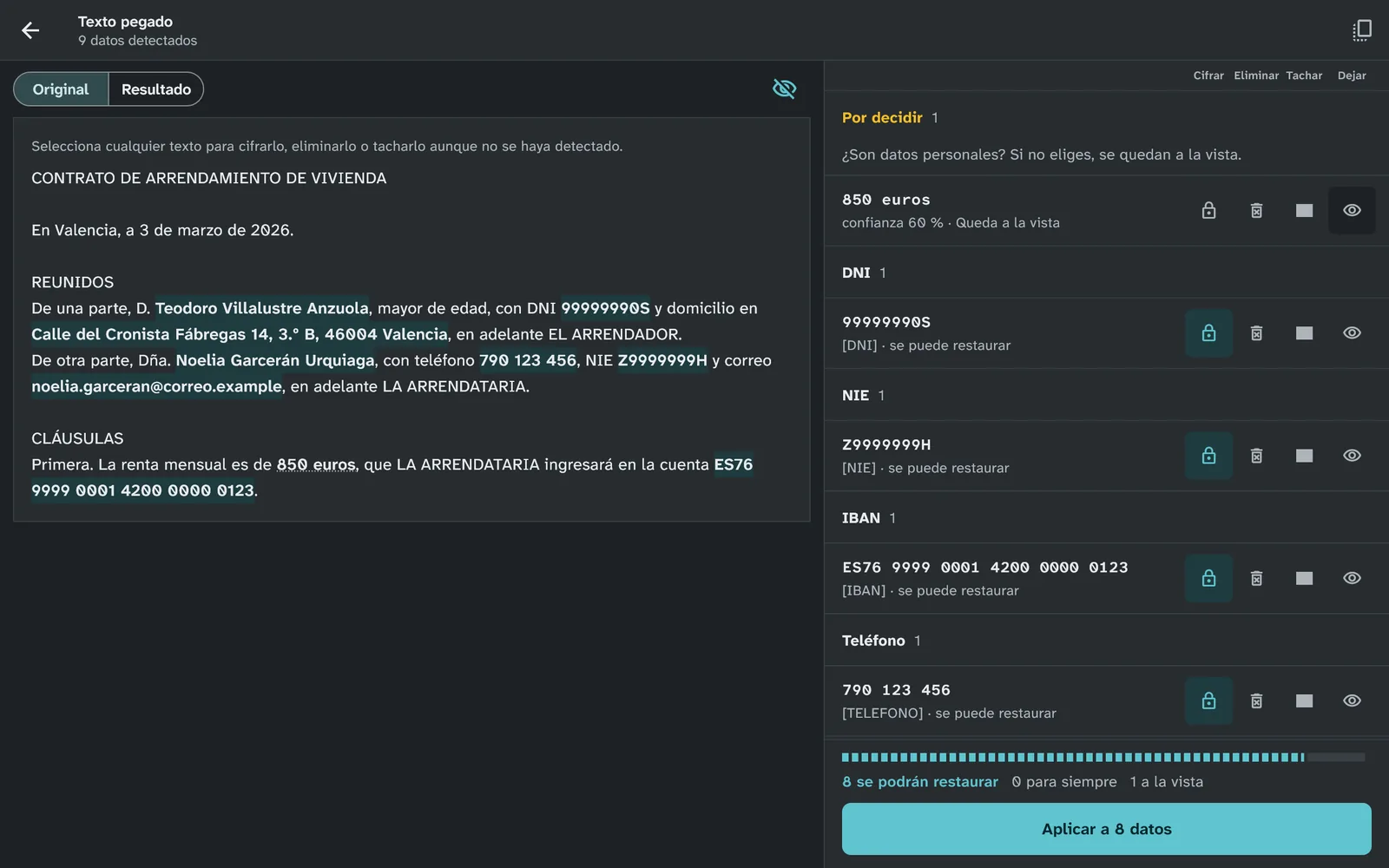
The personal data in your documents, with their check letters
A DNI with the wrong letter is not a DNI: InvisiVis checks the control letters and digits, so it marks what is real and not what only looks like it. And not only Spanish ones: also passports and ID documents from Latin America and from the countries of the people who most often deal with paperwork here.
- DNI and NIE (Spanish ID)
- Company tax ID (CIF, NIF)
- Passports from more than 20 countries
- CURP, CPF, RUT, CNP and cédulas
- Social Security number
- IBAN and bank account
- Bank card
- Names and surnames
- Addresses
- Phone and email
- Date of birth
- Land registry reference
- Electricity and gas supply ID (CUPS)
- Number plate and VIN
- Notary and land registry details
- Court case number
- Health card
- Health data (GDPR art. 9)
- Amounts and salaries
- Signatures and stamps
- Faces in photos
- QR codes and barcodes
- Passwords and keys
- and 20 more types
Office and text
Word, Excel, PowerPoint, OpenDocument, RTF, CSV, JSON, XML and .eml and .msg emails. Office files are saved in their own format, with the layout intact.
PDFs, photos and scans
Reads the text in images and scanned PDFs with the device's own text recognition, offline, and covers the data in the image.
DNI, TIE and passports
It recognises the DNI and TIE models and covers each field in its place, even if the text is hard to read: name, number, signature and photo. In passports it reads the labels in their language and checks the MRZ line.
Use artificial intelligence without giving it your data
With ChatGPT, Gemini, Copilot, Claude or whichever you use: you encrypt the text, pass it to the AI and, with its answer, InvisiVis puts the real data back in place. This demo runs in your browser: it sends nothing.
The demo recognises DNI, NIE, IBAN, bank cards, phone numbers and emails. The app recognises over 40 types, including names and addresses, in documents, images and PDFs.
Your documents stay on your device
Online tools ask you to upload the contract to remove its personal data. InvisiVis does all the work on your PC or your phone.
The Android app does not even have permission to use the internet. On Windows it does not connect either, not even to activate the licence.
The data you encrypt is kept in an encrypted database, protected by the system keychain and by your PIN or fingerprint.
No sign-up, no cloud and no tracking. The licence carries neither your name nor your email.
Choose the colour of your InvisiVis
In the app, everyone picks their own in Settings, and each one has a light and a dark version. Try them here: the whole website changes with them.
If you pick one, this website remembers it only in your browser, like light or dark mode.
One price per seat, everything included
A single edition with everything: Windows and Android, and every update while the licence is active. From €3 a month per seat.
90-day pass
For a one-off project, a campaign or a thorough trial before committing to a year.
- €6.33 a month
- Everything included for 90 days
- No automatic renewal
Annual licence
€4.08 a month per seat.
Final prices including VAT. A seat is one person, with their Windows PC and their Android phone.
15 days free
The full app, no limits. No sign-up, no card.
Restoring is always free
If the licence expires you can still open, review and recover your data. Only saving and sharing need a licence.
Pay for the seats you need
The volume discount applies automatically from the second seat.
90 days free in exchange for your feedback
We are looking for professionals who handle documents with personal data. We give you a free 90-day licence and, when it goes on sale, 30% off the first year.
What we ask of you
- Use it with your real documents
- Tell us what it misses and what is too much
- Answer four questions about the price
Your documents never reach us: only what you write to us.
What people usually ask before trying it
Windows or Android warns me when I install it. Is it safe?
The warning appears with any app that does not come from the Microsoft Store or Google Play. Next to each download we publish its SHA-256 fingerprint so you can check that the file is the original. We explain it step by step in Install safely.
Does it work with scans and phone photos?
Yes. It reads the text with the device's own text recognition, offline, and covers the data in the image. On photographed DNI and TIE cards it covers each field in its place even if the text is hard to read.
What happens to my encrypted data if I stop paying?
It stays on your device and you can always restore it, free. Without a licence, only saving and sharing new documents stop working.
What is a seat?
One person, with their Windows PC and their Android phone. To change device, you remove the licence from the old one and activate it on the new one.
Does this make me GDPR compliant?
InvisiVis helps you pseudonymise and minimise the data you share, but it does not replace your own assessment or that of your data protection officer. Always check the result before sending it. Encrypted data is still personal data.
When can I buy it?
We are not selling yet. If you press "Buy", we add you to the founders list, without paying anything, and tell you the special price when sales open.
What if I forget the PIN?
You lose nothing: the PIN only gives permission to restore. You can set a new one with your device lock (Windows Hello, the Windows password or the phone screen lock) or with the recovery code the app gives you when you create the PIN.
What languages is it in?
The app and this website are in Spanish, Catalan/Valencian, Galician, Basque, Aranese and English. Detection also recognises documents written in Spain's co-official languages and the labels of foreign passports.
Is there a Mac or iPhone version?
Not yet. If you need one, tell us when you sign up as a tester: it helps us decide.
Try InvisiVis with your next document
15 days with everything included, no sign-up. If you like it, keep using it free for 90 more days as a tester.